


Page 4 - November_Newsletter_2016
P. 4
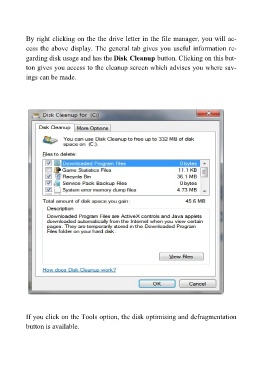
By right clicking on the the drive letter in the file manager, you will ac-
         cess the above display. The general tab gives you useful information re-
         garding disk usage and has the Disk Cleanup button. Clicking on this but-
         ton gives you access to the cleanup screen which advises you where sav-
         ings can be made.


         If you click on the Tools option, the disk optimising and defragmentation
         button is available.

